Passport Photo Maker & Checker
Passport Photo OnlinePhotography
4.42.15K Reviews
- Version
- 3.5.6
- Installs
- 10.00M
- Age Rating
- Everyone
Screenshots
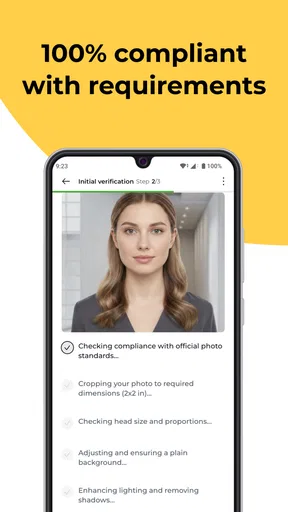
Our Review of Passport Photo Maker & Checker
 Analysis by Appyee
Getting a passport photo right is one of those small jobs that can become surprisingly stressful. The picture may look fine on a phone, yet fail because of framing, background, facial position, or the destination country’s rules. I tested Passport Photo Maker & Checker with that practical problem in mind, and I found it most useful as a guided preparation tool rather than as a replacement for every professional photo service. It belongs to the Photography category, is free to use, and is made by Passport Photo Online.
The central appeal is simple: instead of guessing the crop in a general photo editor, I can work toward a document-style portrait with the intended format in mind. That distinction matters. A normal editor gives me pixels and sliders; this app is designed around the more specific task of producing a compliant passport photo. The experience feels focused, especially when I need a photo for an application quickly and do not want to learn a full editing suite.
How Passport Photo Maker & Checker handles the job
The first thing I noticed is that the app encourages a more disciplined workflow than taking a casual selfie. I have to think about lighting, camera height, facial expression, clothing, and the amount of space around my head before I even worry about the final crop. That is a strength, because many failed document photos are caused by the original image rather than by the export stage.
For a realistic everyday scenario, imagine receiving a message that your passport renewal paperwork is ready, but discovering that the photo you have on your phone is an old vacation image with a tilted head and a busy room behind you. This is where the app makes sense. I can retake the image against a plain wall, use the guidance to position myself more carefully, and prepare a document-oriented result without opening a desktop editor.
The app’s name includes “Checker,” and that sets an important expectation: I would not treat a visual check as an absolute guarantee of acceptance. Rules can vary by country, document type, submission method, and the authority reviewing the image. The app can help me catch obvious presentation problems, but I still need to verify the exact requirements for the document I am applying for. That is not a weakness unique to this product; it is the unavoidable difference between automated guidance and an official decision.
The most useful habit is to fix the capture before trying to fix the picture. I get better results by standing in even light, keeping the phone level, removing distracting objects from the background, and leaving enough room for the app to work with. Aggressive editing after the fact can make a photo look unnatural or create a result that is less acceptable, even if the crop appears correct.
Speed expectations during a normal session
Passport photos are usually a short task, so perceived speed matters more than a long list of editing tools. In my experience, the focused design makes the process feel quicker than using a general-purpose editor. I am not browsing through artistic filters or trying to calculate a document crop manually. The app keeps my attention on the portrait and the requirements around it.
That said, the fastest session is not necessarily the one where I rush through the first camera shot. A poorly lit image can lead to repeated attempts, and that makes the overall process feel slower than it really is. I get a better result by spending a moment arranging the scene first. A plain wall, soft front-facing light, and a stable phone position reduce the need to start over.
There is also a useful difference between processing speed and decision speed. Even if the app prepares an image promptly, I still need to inspect the result carefully. I look at the eyes, the head angle, the hairline, the background, and whether the crop leaves sensible space around the face. Saving time by accepting the first result without checking it defeats the purpose of using a specialized tool.
For someone who only needs one image, this is a reasonably direct workflow. For a family preparing several documents, the time advantage depends more on preparation than on editing. I would photograph each person separately, review every result immediately, and keep the original images until the final files have been checked. That simple routine makes recovery easier if one portrait turns out to be unsuitable.
What happens during heavier use
Heavier use here does not mean editing a large album or applying complex effects. It means repeating the process for several people, trying different source photos, or correcting a portrait after noticing a problem. That is when the app’s focused purpose becomes especially helpful, but it is also when small workflow annoyances become more noticeable.
If I were preparing pictures for a household, I would avoid taking all the photos first and sorting them out later. Instead, I would complete one person’s full cycle: capture, inspect, adjust if needed, and preserve the result. This prevents a common mistake where similar-looking files become mixed up, particularly when several family members need photos with different document requirements.
Another practical tip is to keep the original camera image separate from the prepared version. The edited document photo is the file I may submit, while the original gives me a fallback if I later discover that the crop or background treatment needs to be changed. This is a small but important recovery strategy, especially when the app is being used under a deadline.
Repeated attempts can also expose the limits of phone photography. If the room is dark, the face may look unevenly lit; if the camera is too close, facial proportions can appear less natural; if the phone is held low, the perspective can become unhelpful. No app can completely rescue a fundamentally poor capture. In that situation, changing the setup is more effective than repeatedly pressing the correction controls.
I would also be cautious about using the app as a batch-production shortcut for a large group. It is convenient for personal documents and small household tasks, but a professional photographer or dedicated office workflow may be better when many people need standardized photos at once. The trade-off is convenience versus controlled consistency.
Stability, reliability, and recovering from a bad result
For this kind of utility, reliability is not only about whether the app opens. It is about whether I can understand what needs fixing and recover without losing the useful source image. Passport Photo Maker & Checker works best when I treat each result as something to review rather than as an automatic approval.
My preferred recovery process is straightforward. I keep the original portrait, compare the prepared image with the destination authority’s instructions, and retake the photo if the source itself is the problem. If the face is angled, the expression is unsuitable, or the lighting is harsh, I would not try to disguise those issues with excessive editing. A new photograph is usually the cleaner solution.
That approach also protects against false confidence. A checker can make the image look organized and document-like, but visual neatness is not identical to official compliance. I would still confirm details such as the required dimensions, acceptable background, submission format, and any country-specific rules before sending the file. The app is valuable as a practical checkpoint, not as permission to skip the final verification.
One limitation is that the quality of the experience depends heavily on the image I provide and on how carefully I follow the guidance. Users looking for a one-tap result may find that disappointing. The app reduces guesswork, but it does not remove the need for judgment. In my view, that is a fair trade-off for a document photo, where a little attention is preferable to a polished but unusable image.
The app’s popularity also suggests that this focused approach appeals to many people: it has an average rating of 4.4 from around 86 thousand ratings and has passed 10 million installs. Those figures do not guarantee that every photo will be accepted, but they do indicate that the product is established enough to be familiar to a broad audience. I would still judge it by the quality of my own capture and by the rules of my application.
Device constraints and practical expectations
Passport Photo Maker & Checker supports Android 8.0 and later, which makes it accessible on a wide range of devices that are no longer new. The current version is 3.5.6. For a photo utility, that broad compatibility is useful because many people keep an older phone as a backup camera or use a budget device for everyday tasks.
Older hardware may affect how comfortable repeated processing feels, particularly when I take several attempts or switch between camera and saved images. I would not expect the same responsiveness from every phone, and I would avoid judging the app solely by a single quick session. The more important question is whether the device can produce a clear, evenly lit portrait in the first place.
Storage and organization are also worth considering. Document photos are easy to confuse with ordinary selfies, so I would rename or move the finished file as soon as I know which version is correct. I would not delete the original until the application has been submitted successfully. This is less about the app consuming resources and more about preventing a personal filing mistake.
Because it is a photography tool, camera quality matters more than raw performance. A newer phone may produce a cleaner image in difficult light, while an older phone can still work well in a bright, controlled room. I would choose a stable surface or a helper to hold the device rather than relying on an awkward arm’s-length selfie. That improves framing and makes the result more repeatable.
The app is free, which removes the biggest barrier for a one-time document task. Its Everyone age rating also makes it suitable as a general household utility, although an adult should still supervise the process when the photo is being prepared for a child or for an important official application. Free access is convenient, but I would not confuse it with a promise that every destination’s requirements are covered automatically.
Who should use it, and who should choose something else?
I would recommend this app to people who need a passport-style image without the complexity of a full photo editor. It is particularly suitable for a quick renewal, a visa-related preparation step, an identification document, or a family member who wants guidance on cropping and presentation. It is also useful for users who know they need a compliant-looking photo but are unsure how to set one up manually.
I would be more cautious about recommending it to someone who needs guaranteed acceptance for a highly specific application and does not want to read the official instructions. In that case, a professional photo service may be the better option, especially if the authority has strict rules or if the applicant cannot easily retake the picture. Paying for controlled lighting and an experienced operator can be worthwhile when rejection would cause a serious delay.
A general mobile editor is better when the goal is creative photography, retouching, portrait styling, or social-media presentation. That is not what this app is for. Its value comes from narrowing the task to document photos. Conversely, a professional studio is better for people who want someone else to manage posture, lighting, expression, and final preparation. The app sits between those choices: more specialized than a normal editor, less hands-on than a studio.
One non-obvious trade-off is privacy in the everyday sense of handling personal images. A passport photo is not just another picture; it is connected to identity documents. I would be deliberate about where I save the final file, who can access it, and whether I still need old attempts after the application is complete. The app makes preparation convenient, but good file hygiene remains my responsibility.
My performance verdict after using it
Passport Photo Maker & Checker succeeds because it addresses a narrow problem with a more appropriate workflow than a standard camera or image editor. I found it quick enough for individual tasks, practical for small household jobs, and easier to approach than manually calculating a passport-photo crop. Its strongest performance benefit is not dramatic processing power; it is the reduction of unnecessary decisions.
Its limitations are equally clear. The final outcome still depends on lighting, camera position, source-image quality, and the exact rules of the organization receiving the photo. The checker should support my judgment, not replace it. Anyone expecting a perfect one-tap result may need to retake an image or consult the official requirements before submission.
After its release on November 23, 2019, the app has developed into a well-established free photography utility from Passport Photo Online. With an Everyone age rating and support for Android 8.0 or later, it is a realistic option for many phone users. I would install it when I wanted to prepare a document photo at home and had enough time to review the result carefully.
My final recommendation is simple: use it when convenience and guided preparation matter, but give the capture and final verification the same attention as the app itself. It is best viewed as a careful assistant for passport photos, not an official approval machine. If you take the picture thoughtfully, retain the original, check the finished crop, and compare it with the destination’s current instructions, it can make an otherwise awkward task much more manageable.
Verdict
Strengths of Passport Photo Maker & Checker
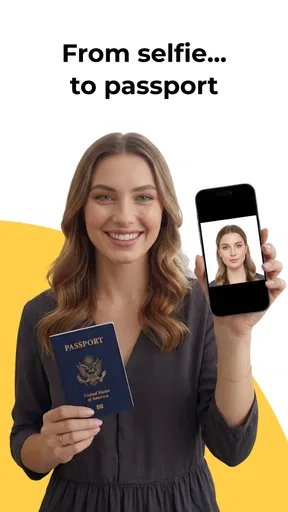
- Creates passport photos quickly from a smartphone camera or gallery.
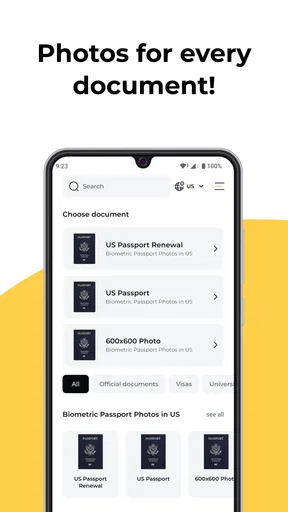
- Provides templates for multiple countries and document types.
- Automatic background removal helps produce cleaner results.
- Includes positioning guides for better face alignment.
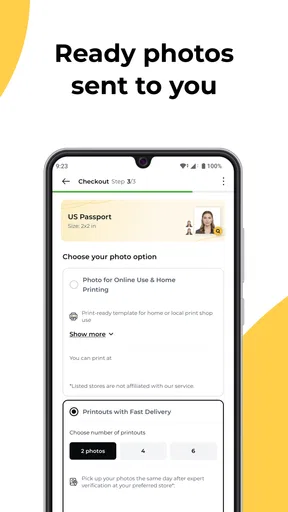
- Lets you save or print several copies on one sheet.
Limitations of Passport Photo Maker & Checker
- Country-specific requirements may not always be fully up to date.
- Final photo quality depends heavily on lighting and camera resolution.
- Some templates or editing tools may require a paid upgrade.
- Background removal can leave rough edges around hair or glasses.
- Printed dimensions may vary if printer scaling is configured incorrectly.
Similar Picks in This Category
View All
Google Photos
Google LLC4.4

Gallery
Google LLC4.2

Picsart AI Photo Editor, Video
PicsArt, Inc.3.9

B612 AI Photo&Video Editor
SNOW Corporation4.1

BeautyPlus-Selfie Photo Editor
PIXOCIAL TECHNOLOGY (SINGAPORE) PTE. LTD.4.5

Remini - AI Photo Enhancer
Bending Spoons4.1
Frequently Asked Questions
What is Passport Photo Maker & Checker used for?
Passport Photo Maker & Checker is designed to help you create and verify identification photos for passports, visas, identity cards, and other official documents. It can guide you through taking or importing a portrait, cropping it to a selected document format, and checking basic requirements such as face position, image dimensions, and background. However, final acceptance always depends on the specific authority receiving the photo.
Can Passport Photo Maker & Checker guarantee that my photo will be accepted?
No. The app can be useful for preparing a compliant-looking image, but it cannot guarantee approval by a passport office, embassy, visa center, or government website. Requirements may vary by country and document type, including lighting, facial expression, clothing, glasses, background color, image resolution, and recency. Always compare the app’s settings with the official requirements before submitting or printing your photo.
Can I use an existing photo, or do I need to take one inside the app?
You can generally start with either a new picture taken using your device’s camera or an existing image from your gallery, depending on the permissions and features available in your version of the app. For the best result, use a sharp, recent, front-facing portrait with even lighting and plenty of space around your head and shoulders. Avoid heavily edited, blurry, filtered, or compressed images.
Does the app remove the background and prepare printable copies?
Passport Photo Maker & Checker may provide tools for adjusting the background, cropping the portrait, and arranging multiple copies on a printable sheet. The exact options can differ between Android and iOS versions, as well as between free and premium features. Background editing should be used carefully because artificial edges, shadows, or uneven colors may cause an official photo to be rejected.
Is Passport Photo Maker & Checker free to download, and are there any privacy concerns?
The application may be available as a free download with advertisements, optional purchases, or premium tools, depending on the platform and current release. Before using it, review the store listing for subscriptions and in-app costs. Since identification photos are personal data, check the app’s privacy policy and permission requests, and avoid uploading images to external services unless you understand how they are stored and processed.
